Meet Points Vault: Know Which Card to Use and What Your Points Can Book
You have a few credit cards, points in three or four programs, and miles with an airline or two. Which card should you use at the grocery store? Where can your Chase points go, and at what ratio? Is there a transfer bonus this month? Are any of your miles about to expire? The answers are out there, spread across bank websites, airline charts and blog posts. We built Points Vault to put them on one screen.
Start With the Cards You Already Have
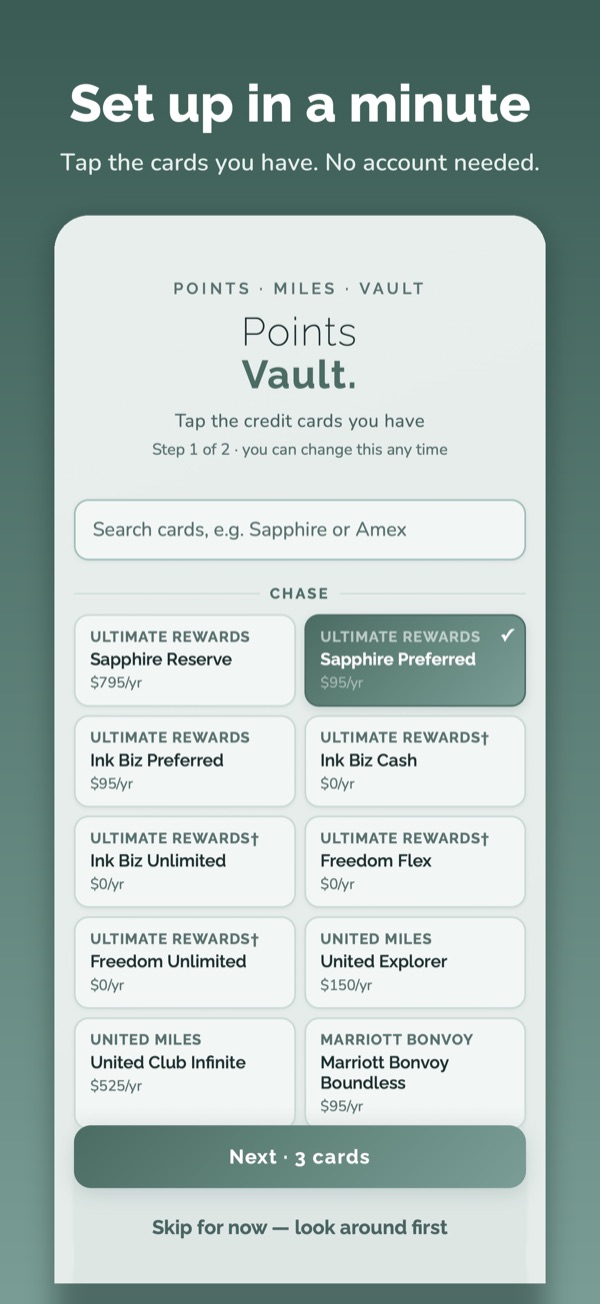
Tap the cards you carry, the loyalty programs you belong to, and the points you've collected. Points Vault knows 46 credit cards from Chase, Amex, Citi, Capital One, US Bank, Wells Fargo, Bank of America and Barclays, 47 airline, hotel and rail programs (including Amtrak), and the Bilt, Rove and Rakuten platforms. You don't need an account to start. Everything you enter stays on your iPhone unless you choose to sign in.
The Optimizer: The Best Card for Every Purchase
Most "best card" lists are written for an average person who doesn't exist. The Optimizer starts with you. It asks a few short questions first:
- What you want back. Travel points, cash back, or simply the best return.
- How you book travel. Directly with airlines and hotels, through a card's travel site, or both, because some cards pay much more one way than the other.
- A favorite airline or hotel, if you have one, so a co-branded card gets a fair look.
- Rent and business cards. Whether you pay rent (Bilt) and whether business cards should be included.
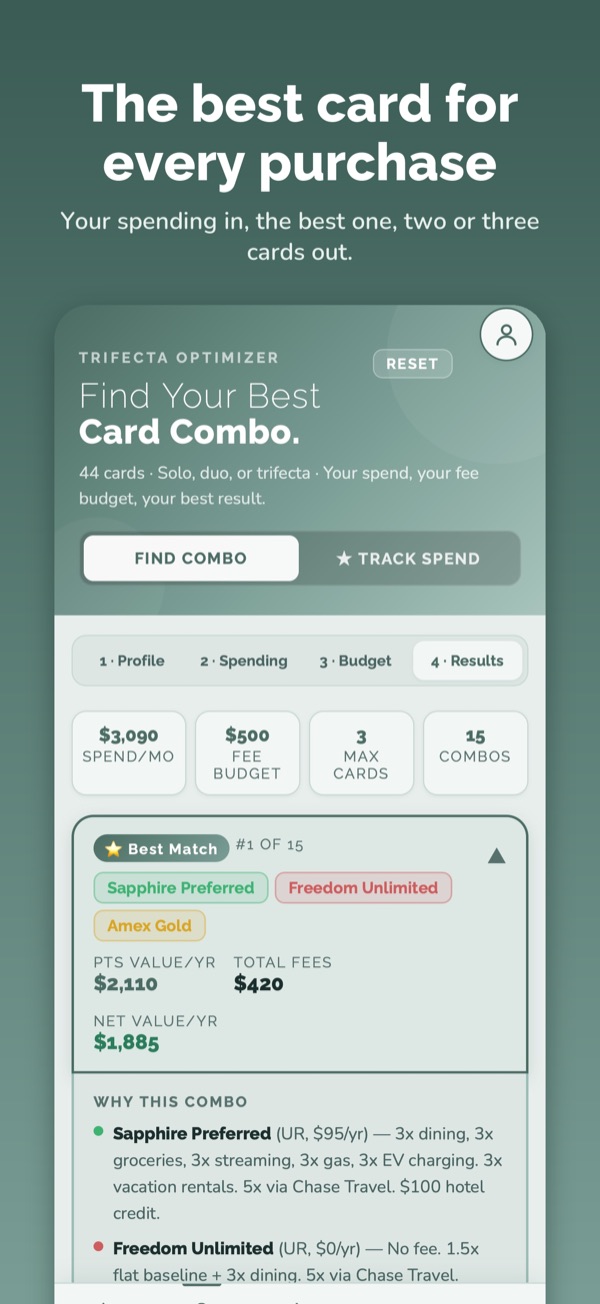
Then you enter roughly what you spend each month on groceries, dining, gas, flights, hotels, streaming, phone and the rest, and set two limits: the most you're willing to pay in annual fees, and whether you want one card, two or three.
The Optimizer tries every card and every combination that fits those limits — out of 46 cards — and shows the winner and a runner-up. For each, you see the points or cash you'd earn in a year, the total annual fees, and the net value after fees, plus a table of which card to use for each kind of purchase. A few things it gets right that rough calculators miss:
- Fees are subtracted, perks are counted carefully. Only credits most people really use count toward a card's value, so a long list of perks doesn't win on its own.
- Points are valued honestly. Transferable points like Chase and Amex are worth more than hotel points, and the Optimizer values each currency accordingly.
- Rotating 5% categories on cards like Freedom Flex and Discover it are applied for the quarter you're in.
- Rent with Bilt earns the way Bilt actually pays it: more when you also use the card for everyday spending.
- A tie goes to the cheaper option. If two combinations earn the same, it picks the lower fee and fewer cards.
Every Airline and Hotel Your Points Reach
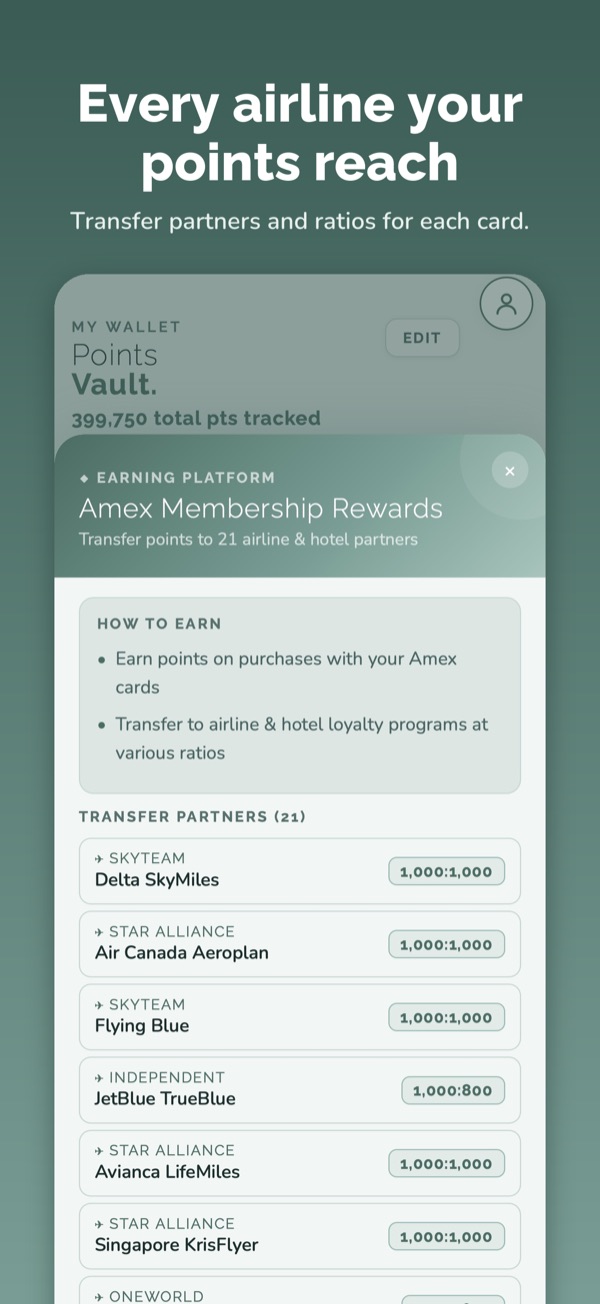
Tap a card or a points program to see every transfer partner and its ratio, written the plain way: 1,000 points becomes 750 Hyatt points, or 1,000 Copa miles. If two of your cards transfer to the same airline at different ratios, Points Vault uses the better one.
Transfer bonuses show up automatically, with their end dates: right now that includes Chase to British Airways, Iberia and Aer Lingus at +30%, Chase to IHG at +80%, and Capital One to Copa at +30%. We check every partner, ratio and bonus against the bank's own website or app, not a blog, and when something changes it reaches your phone without an app update.
Award Flights: See What Your Points Can Book
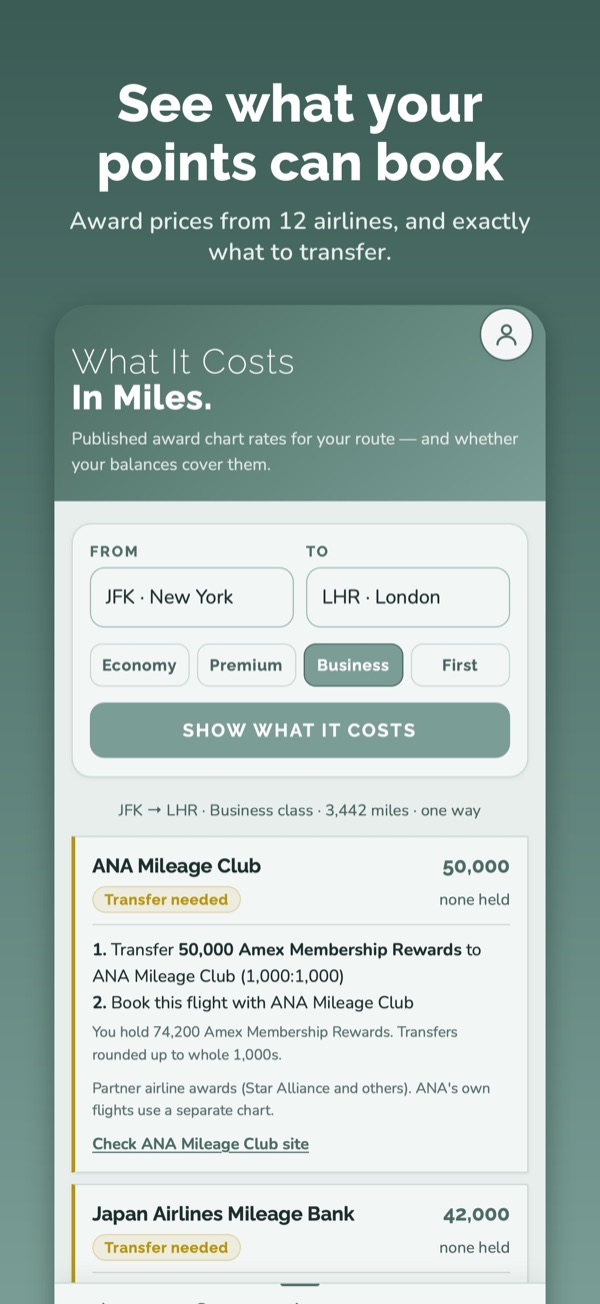
This is the question we get asked most: "I have 70,000 Amex points — can I fly to London in business class?" The Awards tab answers it in three steps.
1. Pick the trip. Type a city or airport for where you're flying from and to (New York, London, JFK, LHR) and choose economy, premium economy, business or first.
2. See the price in every program. Points Vault prices the flight using the airlines' own published award charts — more than a dozen programs, including American AAdvantage, Air Canada Aeroplan, ANA, Japan Airlines, Turkish Miles&Smiles, Singapore KrisFlyer, Qantas, Alaska and Iberia — and puts the ones you can book with the points you already hold at the top, cheapest first. Each result says whether your balances cover it.
3. Know exactly what to transfer. For each program it spells out the steps: for example, "Transfer 50,000 Amex Membership Rewards to ANA Mileage Club (1,000:1,000), then book this flight with ANA." If a transfer bonus is running, it's already counted, so you see the smaller number of points you'll need. When two of your cards can reach the same airline, it uses the one with the better ratio.
Airlines that have dropped their charts and price every seat differently — United, Delta, Flying Blue, British Airways, Emirates and others — are listed separately with a link to check the price on their site, so you still see every option your points open up.
One important rule: an award chart tells you what a seat costs, not whether one is available on your date. Always find the seat on the airline's website before you transfer, because points transfers can't be reversed.
Know Before Your Miles Expire
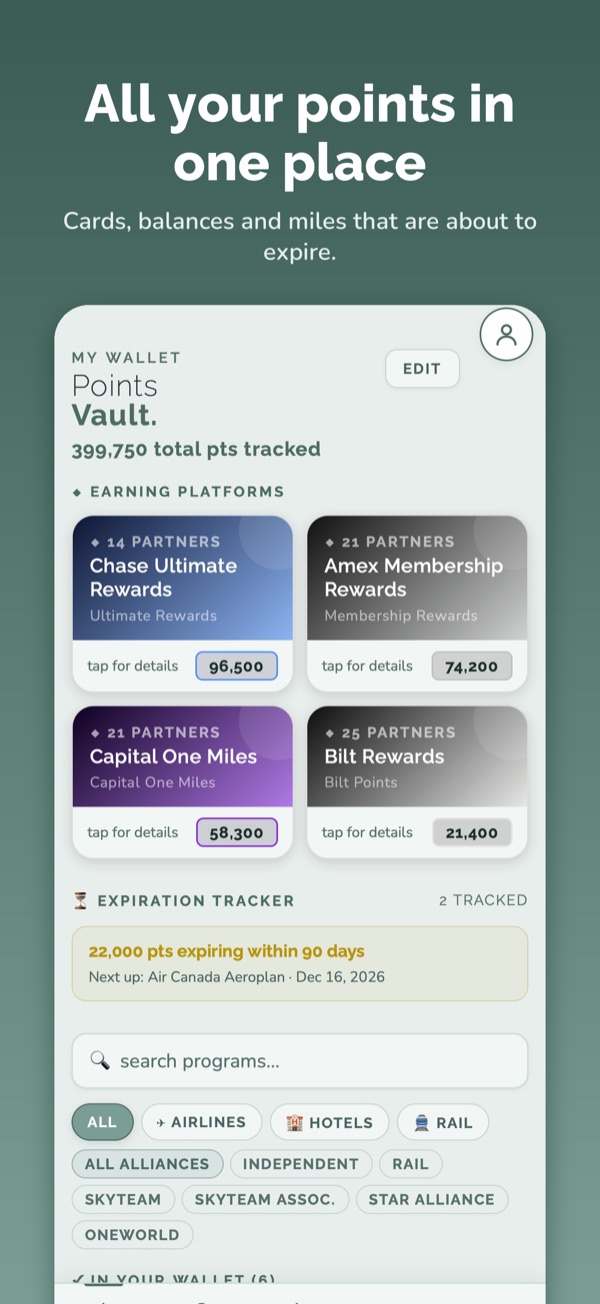
Some airline miles never expire. Others disappear after 18 or 24 months without activity. Enter your balances and the expiry tracker shows which ones expire first, and when, so you can earn or spend a few miles in time to keep them.
Your Spending, Without the Spreadsheet
Share a credit card statement (PDF) to Points Vault from your email or Files app, and it reads the transactions, sorts them into categories and checks them against your monthly budgets. The statement is read on your iPhone itself and isn't uploaded anywhere; once you've added the transactions, the PDF is deleted. It's also a quick way to fill in the Optimizer with what you really spend.
New Cards Worth a Look
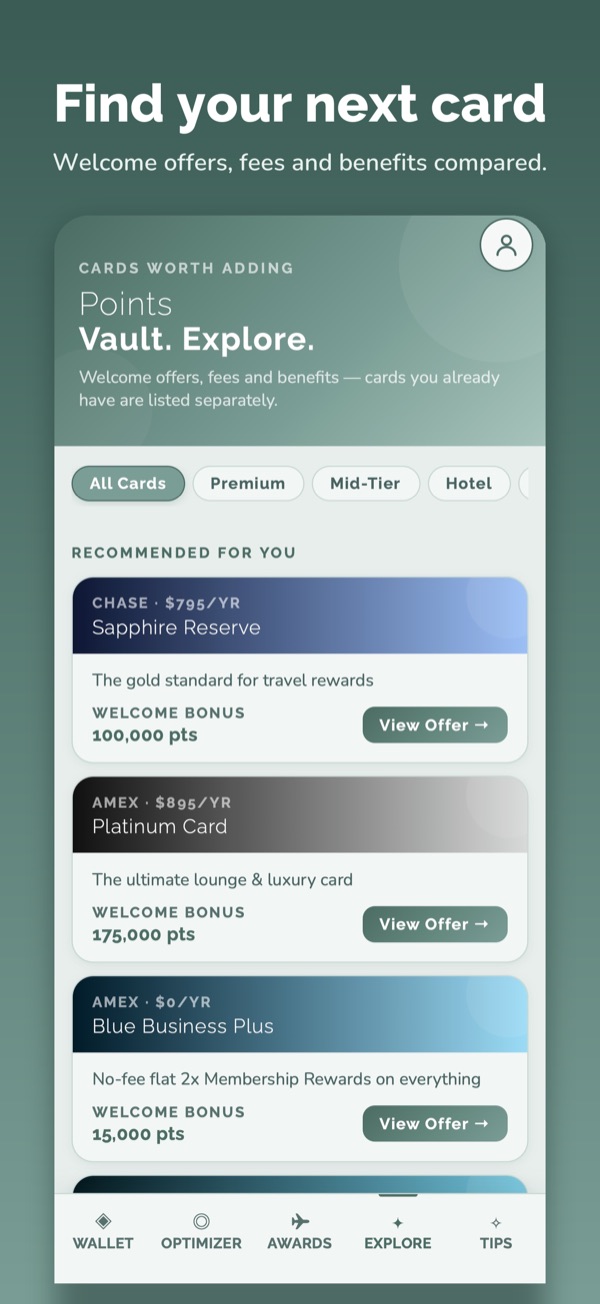
The Explore tab lists current welcome offers, annual fees and the main benefits of popular cards, and it keeps the cards you already have separate. We check the offers against the issuers' own pages. This month that meant updating the new Bilt cards, Marriott Bonvoy Boundless and the Sapphire Reserve for Business.
On One Phone or Several
Points Vault works without an account. If you'd like your wallet on more than one device, sign in with Apple or an email address and it stays in sync. You can delete your data from the app at any time.
Try it with the cards in your wallet
Tap your cards, enter a balance or two, and see where your points can take you. It takes about a minute.
Get Points Vault on the App Store →Free for iPhone. Heading to the airport? Loungeaway shows which lounges your cards get you into.